
Even pasting a URL has friction. You’re on the listing page, you select the address bar, copy the link, switch tabs, find Nanopixo, paste. Small steps, but they add up, and on top of that, some portals actively block scraping, so a plain URL paste quietly fails on exactly the sites you rely on most.
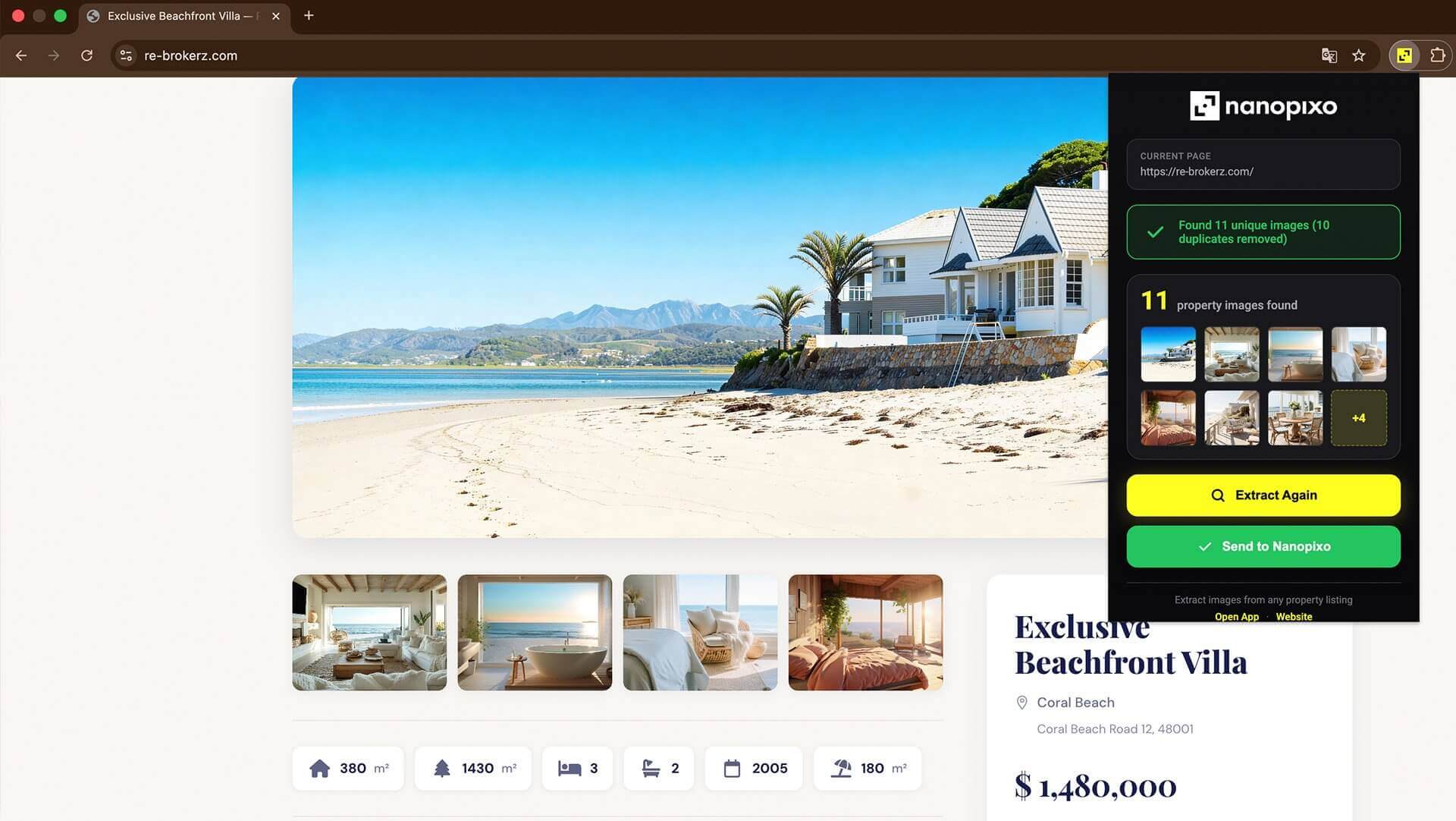
The free Nanopixo Chrome extension removes both problems at once. While you’re looking at a property on Immoweb, Funda, Zimmo, Idealista, Rightmove or any other portal, you click the Nanopixo button in your browser and the photos are pulled and sent straight over, even on sites that refuse ordinary scraping, because the extension reads the page you’re actually viewing rather than fetching it from outside.
That’s the real advantage: it meets you where you already work. There’s no copying a URL, no switching tabs, no manual uploads, no “I’ll do it back at my desk later.” You spot a property worth posting, you’re already on the page looking at it, and a single click sends it on its way to becoming a video.
And because it’s that frictionless, it changes what you bother to post. The competitor’s listing you admired, the new build you stumbled on, the property a colleague mentioned, anything you can open in a browser is one click from your content pipeline, so good ideas stop getting lost between “I should post that” and actually doing it.
See a property, click, done. The import step you used to think of as a task stops being a step at all, it folds into the browsing you’re doing anyway.